

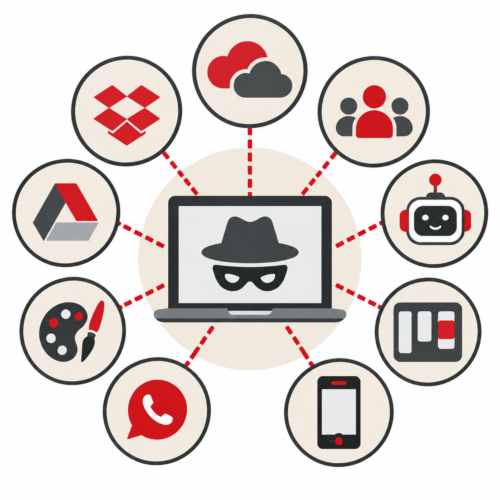
Quick Answer: Shadow IT refers to technology employees use for work without formal approval or oversight from the business or its IT team. It can include software, cloud services, file-sharing platforms, collaboration tools, AI applications, mobile apps, and even personal devices.
An employee needs to send a large file, so they use their personal cloud storage account. Another team wants a better way to manage projects, so they sign up for an online tool. Someone discovers an AI application that saves them time and starts using it for work.
None of these employees are necessarily trying to break the rules.
They’re trying to get their jobs done.
But they’ve also created Shadow IT.
Why Do Employees Use Shadow IT?
Shadow IT often starts with convenience rather than bad intentions.
Employees may look for their own technology solutions because:
- They need a faster way to complete a task
- Existing technology feels difficult or inefficient
- The approval process takes too long
- They need functionality their current tools don’t provide
- They’ve found an application they already know how to use
The easier it becomes to sign up for cloud applications, download software, or try an AI tool, the easier it becomes for technology to enter your business without anyone realizing it.
What Are Common Examples of Shadow IT?
Shadow IT can be almost any unapproved technology used for business purposes.
Common examples include:
- Personal Dropbox or Google Drive accounts
- Canva
- Trello and other project management applications
- WhatsApp and other messaging platforms
- AI productivity tools
- Browser extensions
- Personal laptops, tablets, or smartphones
- Software purchased directly by individual departments
The application itself isn’t necessarily the problem. A legitimate and secure application can still create concerns when a business doesn’t know it’s being used or how company information is being handled.
Why Is Shadow IT a Business Concern?
You can’t effectively manage technology you don’t know exists.
An unapproved application may store company information outside your approved systems. It could create another login that isn’t protected by your normal security controls. The company could also be paying for software that duplicates tools it already owns.
Shadow IT can affect:
Security: Company information may be stored or shared through systems your IT team isn’t monitoring.
Compliance: Employees may use applications that don’t meet your industry’s data-handling requirements.
Costs: Different departments may purchase overlapping subscriptions.
Offboarding: Former employees may retain access to business information through accounts IT doesn’t know about.
Support: Your IT team may be asked to troubleshoot technology they didn’t select, configure, or even know was being used.
Is Shadow IT Always Bad?
Not necessarily.
Shadow IT can actually reveal something useful about your technology environment.
If employees repeatedly look for alternatives, it may indicate that an existing application isn’t meeting their needs or that the process for requesting new technology is too difficult.
Instead of simply asking, “How do we stop employees from using unapproved technology?” businesses should also ask, “Why are employees looking for another solution?”
That question can uncover opportunities to improve both technology and internal processes.
How Can Small Businesses Manage Shadow IT?
The goal doesn’t have to be eliminating every new application employees discover. It should be creating enough visibility and oversight to make informed decisions.
That starts with:
- Maintaining an inventory of approved applications
- Establishing a simple process for requesting new technology
- Reviewing software and cloud subscriptions
- Managing user accounts and permissions
- Educating employees about handling company information
- Regularly reviewing what technology is actually being used
The Bottom Line: Shadow IT Is a Visibility Problem
Shadow IT isn’t necessarily a people problem. It’s a visibility problem.
Employees will continue looking for tools that help them work faster and more effectively. The key is making sure your business understands what technology is being used, what information it can access, and whether it meets your security and business requirements.
IT Radix helps businesses gain better visibility into their technology environments so they can make smarter decisions about the applications, devices, and services their employees rely on.
Because when it comes to your IT infrastructure, what you don’t know can create unnecessary risk.