

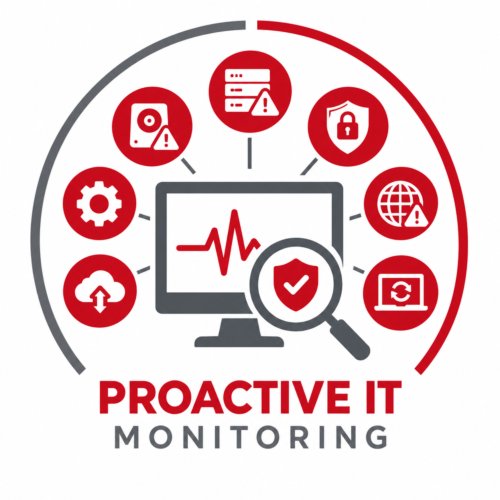
Quick Answer: 24/7 IT monitoring continuously watches your business technology for performance problems, hardware failures, failed backups, security threats, and other issues. Because technology problems don’t follow business hours, continuous monitoring can help detect trouble early, reduce downtime, and allow IT teams to respond before a small issue becomes a major disruption.
Your employees may go home at 5:00. Your technology doesn’t.
Servers keep running. Backups kick off. Cloud applications remain active. Employees may log in remotely. And cybercriminals certainly don’t limit themselves to normal business hours.
That’s why 24/7 IT monitoring has become an important part of keeping business technology reliable and secure.
What Is 24/7 IT Monitoring?
24/7 IT monitoring is the continuous observation of your technology environment, including servers, networks, endpoints, cloud services, backups, and security systems.
Monitoring tools automatically look for warning signs such as:
- System or hardware failures
- Unusual performance changes
- Low storage capacity
- Connectivity problems
- Failed backups
- Missed patches
- Security alerts
- Suspicious activity
When something unusual is detected, alerts can notify the IT team so the issue can be investigated.
In some cases, that means a problem can be addressed before employees even realize something was wrong.
What Can Happen to Your IT Overnight?
It can be tempting to assume everything stays quiet once the office closes. In reality, some important technology processes happen after hours.
Backups Can Fail
Many backups run overnight when fewer employees are using company systems.
Storage limitations, network problems, software errors, or configuration issues can cause a backup to fail. Without monitoring, you may not discover the problem until you actually need to restore your data.
That’s a terrible time to find out your backup wasn’t working.
Hardware Can Show Signs of Failure
Servers, hard drives, and other equipment don’t schedule their problems conveniently.
Monitoring can identify warning signs such as low disk space, unusual temperatures, declining performance, or storage errors, giving your IT team an opportunity to investigate before the equipment fails completely.
Security Threats Can Appear
Cyberattacks aren’t limited to Monday through Friday.
Suspicious login attempts, malware activity, unexpected network traffic, and other security events can happen at any hour. Continuous monitoring provides another layer of visibility that can help identify unusual activity sooner.
Power or Network Problems Can Occur
An overnight power interruption or network issue can affect servers, firewalls, and other equipment.
Without monitoring, the first indication of a problem might be employees arriving the next morning and discovering they can’t work.
What Does 24/7 IT Monitoring Watch?
The exact systems monitored will vary depending on the business and its technology, but common areas include:
Servers: CPU usage, memory, storage, hardware health, application performance, and uptime.
Networks and Firewalls: Connectivity, network performance, VPN availability, device health, and security alerts.
Endpoints: Desktop and laptop health, patch status, antivirus activity, storage, and operating system performance.
Cloud Services: Availability, performance, authentication, resource usage, and service interruptions.
Backups: Successful completion, failed jobs, storage capacity, and other conditions that could affect recoverability.
For businesses that rely heavily on Microsoft 365 and other cloud platforms, monitoring can also provide greater visibility into the services employees depend on every day.
What Are the Benefits of Around-the-Clock IT Monitoring?
The biggest advantage is simple: you don’t have to wait for an employee to tell you something is wrong.
Continuous monitoring can help businesses:
- Detect IT problems earlier
- Respond to issues faster
- Reduce avoidable downtime
- Improve system reliability
- Identify failed backups
- Strengthen cybersecurity visibility
- Keep employees productive
- Reduce emergency IT surprises
It also gives your IT team better information when troubleshooting. Instead of starting with, “The computer seems slow,” they may already have data showing when the problem started and what’s causing it.
Can 24/7 Monitoring Prevent Every IT Problem?
No.
Monitoring can’t guarantee that hardware will never fail, a cyberattack will never succeed, or your business will never experience downtime.
What it can do is provide earlier visibility.
And when it comes to technology problems, knowing about an issue sooner can make a big difference in how disruptive and expensive it becomes.
Does Your Business Need 24/7 IT Monitoring?
Businesses may benefit from continuous monitoring if they:
- Depend heavily on technology for daily operations
- Have employees working remotely or after hours
- Rely on cloud applications and Microsoft 365
- Have critical servers or network equipment
- Need reliable backups
- Have limited internal IT resources
- Want to reduce unexpected downtime
For most modern businesses, technology is too important to simply wait until something breaks.
Your Technology Doesn’t Clock Out
A lot can happen between the time your employees leave for the day and return the next morning.
The question is whether you’ll know about a problem when it starts or when your employees discover it the next day.
At IT Radix, proactive monitoring helps us keep an eye on our clients’ technology around the clock, identify potential problems earlier, and address issues before they become bigger business disruptions.
Because while your team deserves to clock out at the end of the day, your IT monitoring shouldn’t.