Quick Answer: An overwhelmed internal IT team often shows warning signs such as slower support response times, delayed projects, constant troubleshooting, and increasing security concerns. Businesses can relieve the pressure by evaluating workloads, prioritizing responsibilities, and bringing in co-managed IT services to provide additional support without replacing existing staff.
Your internal IT team keeps a lot of things running behind the scenes.
They’re solving computer problems, supporting employees, managing cybersecurity, maintaining systems, and trying to plan for what’s next.
But what happens when your business keeps growing and your IT team doesn’t?
Even the most capable IT professionals can reach a point where there simply aren’t enough hours in the day.
The challenge isn’t always about skill. Sometimes, it’s about having more work than your team can reasonably handle.
What Are the Warning Signs Your IT Team Is Overwhelmed?
IT burnout doesn’t happen overnight. It often starts with small changes that become bigger problems over time.
Watch for these warning signs:
- Slower Support: Help desk tickets take longer to resolve.
- Constant Firefighting: Your IT team spends more time fixing emergencies than preventing them.
- Delayed Projects: Important upgrades and improvements keep getting pushed aside.
- Employee Frustration: IT staff and employees become increasingly frustrated with recurring problems.
- Security Gaps: Updates, monitoring, and routine maintenance may not receive the attention they need.
If several of these sound familiar, it may be time to evaluate whether your team has enough support.
1. Take a Closer Look at Your IT Team’s Workload
Before making changes, understand where your team’s time is going.
Are they spending most of their day responding to support tickets? Are important projects being delayed because routine maintenance takes priority?
Talk with your IT staff about what’s working, what’s falling behind, and where additional resources would help.
Sometimes the solution starts with redistributing responsibilities or improving existing processes.
2. Recognize When Specialized Expertise Is Needed
No single IT professional can be an expert in everything.
As technology evolves, your business may need additional knowledge in areas such as:
- Advanced cybersecurity
- Cloud services and migrations
- Compliance-related security controls
- Network infrastructure
- Specialized applications and platforms
What to do: Identify the areas where your internal team needs help and consider bringing in outside expertise for those specific responsibilities.
This allows your existing staff to focus on what they do best.
3. Make Sure IT Support Keeps Pace with Business Growth
More employees mean more devices, accounts, applications, and support requests.
Opening another location or introducing new systems adds even more complexity.
If your IT resources don’t grow along with your business, onboarding delays, recurring technical problems, and security risks can follow.
What to do: Include IT planning in your business growth strategy. Standardize onboarding, review infrastructure capacity, and ensure additional support is available when needed.
4. Consider Alternatives to Hiring Another IT Employee
Hiring another full-time IT professional may seem like the obvious solution, but it isn’t always the fastest or most practical option.
Recruiting takes time, and one additional employee may not have every specialized skill your business needs.
That’s where co-managed IT services can help.
By partnering with a Managed Service Provider (MSP), your internal team gains access to additional technical resources, expertise, and support without requiring another permanent hire.
How Does Co-Managed IT Help an Overwhelmed IT Team?
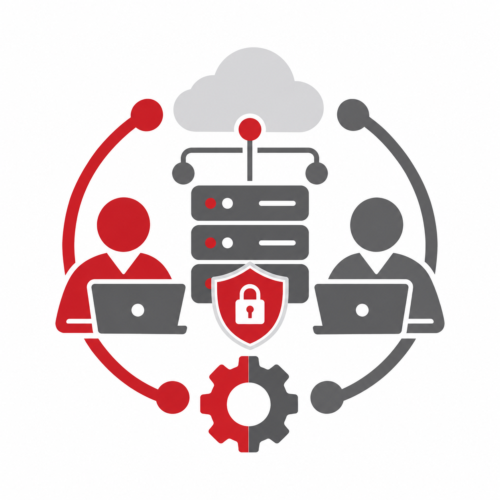
Co-managed IT works alongside your existing staff rather than replacing them.
An MSP can help by:
- Handling routine support and maintenance
- Providing additional help desk coverage
- Monitoring systems and cybersecurity threats
- Assisting with complex projects
- Offering specialized technical expertise
- Helping develop long-term technology plans
The goal is to free up your internal team to focus on strategic work while ensuring everyday technology needs are handled.
What Should You Look for in a Co-Managed IT Partner?
The right provider should feel like an extension of your team, not a competing IT department.
Look for an MSP that communicates clearly, respects your internal staff’s knowledge, defines responsibilities upfront, and adapts as your business changes.
A successful partnership should make your team’s work easier, not create another layer of confusion.
Frequently Asked Questions
How Do I Know If My IT Team Needs Help?
Look for increasing support backlogs, delayed projects, recurring technology issues, and staff who are constantly responding to emergencies instead of planning ahead.
Does Co-Managed IT Replace Internal IT Employees?
No. Co-managed IT is designed to complement your existing staff by providing additional resources, specialized expertise, and support.
Is Co-Managed IT More Affordable Than Hiring?
It can be, particularly when your business needs specialized expertise, additional coverage, or flexible project support. The right choice depends on your workload, budget, and long-term staffing needs.
Give Your IT Team the Support It Needs to Succeed
Your internal IT team plays an important role in keeping your business productive, secure, and moving forward.
But even great teams need backup sometimes.
At IT Radix, we work alongside internal IT professionals to lighten workloads, fill skill gaps, and provide the additional resources businesses need to stay ahead of technology challenges.
Is your internal IT team stretched too thin? Contact IT Radix to learn how co-managed IT services can give your team the support it needs without giving up control.